
PalmSlots Online Casino App
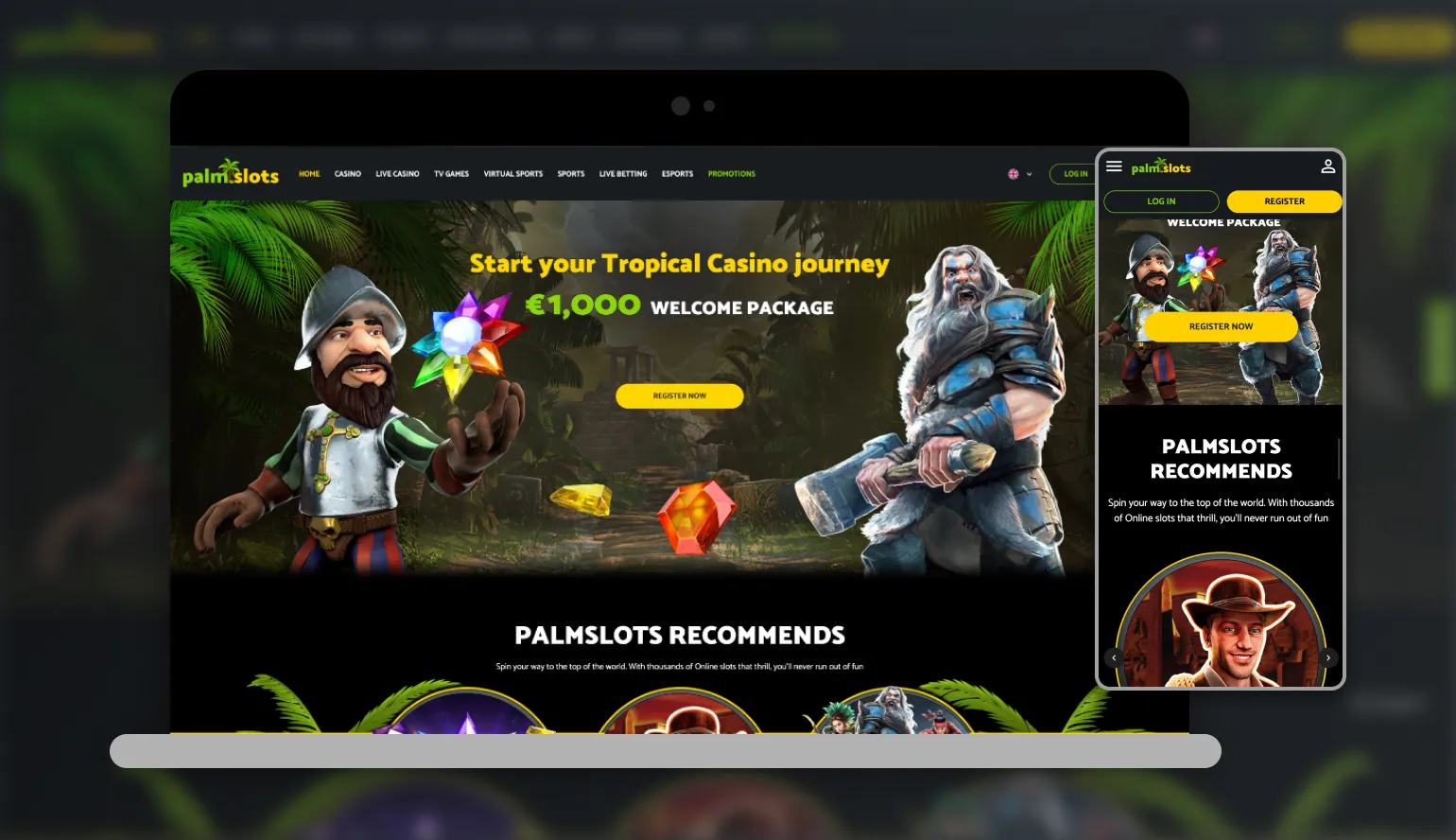

At PalmSlots Casino, we know you want to spin your favourite slots or place a live bet the moment inspiration strikes - whether you're on the bus, on your lunch break, or relaxing at home. That's exactly why we've built our entire gaming platform around mobile-first technology. When you search for the PalmSlots app, what you'll actually find is something even better: a fully HTML5-optimised casino that runs directly in your phone's browser, with no download, no storage space taken up, and no waiting for updates.
We've made this decision deliberately. Instead of asking you to download and install a separate application, Palm Slots gives you instant access to over 5,000 games straight from your mobile browser, on both Android and iOS. Below, we'll walk you through exactly how to get started, what you can expect from the mobile experience, and how to claim your welcome package on the go.
Playing PalmSlots on Any Mobile Device
Our platform is built to adapt automatically to whatever screen you're using. Whether you're on a Samsung, a Pixel, an iPhone or a tablet, the PalmSlots casino interface resizes itself so that buttons, menus and game tiles remain easy to tap and navigate. We've optimised loading speeds specifically for mobile data connections, so you won't be left staring at a spinning wheel while a game buffers.
Because there's no dedicated app to install, you avoid the usual headaches of app store approval delays, forced updates, or version compatibility issues. Everything runs through your browser, which means the PalmSlots casino experience is always the latest version, automatically, every time you visit.
How to Access the PalmSlots App on Android and iOS
Getting set up takes just a couple of minutes. Here's how we recommend doing it:
For Android Users
- Open Chrome or your preferred mobile browser
- Go to palmslots.com
- Tap the browser menu and select "Add to Home Screen"
- Confirm, and an icon will appear on your device just like a native app
- Tap the icon anytime to launch PalmSlots instantly
For iOS Users
- Open Safari and navigate to palmslots.com
- Tap the Share icon at the bottom of the screen
- Select "Add to Home Screen"
- Name the shortcut and tap Add
- Launch Palm Slots directly from your home screen going forward
Either way, you end up with quick, app-like access without ever touching the App Store or Google Play, and without using up storage on your device.
Logging Into Your PalmSlots Account
Once you've created your shortcut, PalmSlots login is straightforward. Simply tap the icon, enter your email and password, and you're back in your account within seconds. If you're a new player, you can register directly from your phone in a similar amount of time - full details on setting up your account are covered on our dedicated registration page, but the process is quick, secure, and doesn't require anything more than an email address and some basic verification details later on.
Our Mobile Game Library
We haven't cut any corners when bringing our game selection to mobile. Everything you'd find on desktop is available through the PalmSlots casino mobile site, including titles from Pragmatic Play, NetEnt, Play'n GO, Hacksaw Gaming, Big Time Gaming and dozens more studios.
- Slots - thousands of titles across classic, video and Megaways formats
- Live Casino - real dealers streamed from Evolution, Pragmatic Play Live and Vivo Gaming
- Jackpots - our dedicated PalmSlots Jackpot lobby, playable straight from your phone
- Sports and Live Betting - covering 20+ sports with Bet Builder and Cash Out tools
- Table Games - blackjack, roulette and scratch cards optimised for touchscreens
Lobby categories such as Top, New, Hot, Bonus Buy and Cold make it simple to browse on a smaller screen, so you're never scrolling endlessly to find something worth playing.
Banking on the Go
Deposits and withdrawals work exactly the same way on mobile as they do on desktop. You can fund your account from as little as 10 EUR using Visa, Mastercard, Skrill, Neteller, MuchBetter, Klarna, Paysafecard, bank transfer or crypto including BTC, ETH, LTC and USDT.
When it comes to PalmSlots withdrawal time, crypto payouts typically process in around 28-32 hours, MiFinity around 52 hours, and cards or bank transfers within 2-4 business days. Keep in mind that a 5x rollover on deposits applies before any withdrawal request, and only your first cashout each calendar month is processed free of charge.
Claiming Your Bonus From Your Phone
Signing up through mobile doesn't limit your access to promotions. Every PalmSlots bonus available on desktop, including our welcome package, is fully claimable from your phone.
| Offer | Details |
|---|---|
| Welcome Casino Package | Up to 2,500 EUR + 250 free spins across four deposits |
| First Deposit Bonus | 100% up to 500 EUR + 50 free spins |
| Wagering Requirement | 35x on bonus and deposit combined, within 21 days |
| Sports Welcome Bonus | 100% up to 100 EUR, claimed separately |
To activate any offer, simply enter the relevant PalmSlots bonus code at the deposit screen on your mobile browser. Free spins tied to a promotion expire after 7 days, so we recommend using them soon after they land in your account. As with desktop, only one casino bonus and one sports bonus can be active at the same time, and withdrawals aren't processed while a bonus remains active. For a full breakdown of current offers, visit our PalmSlots bonus page.
Security and Fair Play on Mobile
We take account security seriously, whether you're playing from a desktop or a handheld device. Every session is encrypted, and we may ask for photo identification, proof of address, or a quick selfie verification before processing your first withdrawal. This isn't unique to mobile - it's part of how we protect every account across the platform. We also restrict access from VPNs and proxy services to keep the platform compliant and fair for everyone.
Our Customer Support On Mobile
We know that mobile players sometimes need quick answers, so our support channels are all accessible directly from your browser session:
- Live Chat: available 24/7 through the app interface
- Email: [email protected]
- General enquiries: [email protected]
- FAQ section: built into the mobile site for quick self-service
Why Players Choose the PalmSlots Mobile Experience
- No download required - everything runs through your browser
- Instant updates with zero manual installation
- Full access to 5,000+ games, live dealers, and sports betting
- Fast, secure PalmSlots casino login from any device
- Bonuses and promotions fully available on mobile
- 24/7 customer support reachable directly from your phone

Final Thoughts
We built Palm Slots to be genuinely accessible - no clunky downloads, no app store approvals, and no compromise on game selection or functionality. Whether you're chasing a jackpot on your commute or placing a live bet during half-time, our HTML5 platform is designed to keep pace with you. Add a shortcut, log in, and you'll have the entire PalmSlots casino experience sitting on your home screen in under two minutes.
FAQ
Do you have a dedicated PalmSlots app to download?
We don't offer a downloadable app from the App Store or Google Play. Instead, we provide a fully HTML5-optimised mobile site that behaves just like a native app once you add it to your home screen.
Is Palm Slots login different on mobile compared to desktop?
No, the login process is identical. We use the same account credentials across all devices, so you can switch between your phone, tablet and computer without any extra steps.
Can I claim the welcome bonus through the mobile browser?
Yes, absolutely. We let you enter your PalmSlots bonus code and claim any active promotion directly from your phone, exactly as you would on desktop.
How long does a PalmSlots withdrawal time take on mobile?
Processing times don't change based on device. We typically process crypto withdrawals within 28-32 hours, while card and bank transfers can take 2-4 business days.
Is the mobile platform safe to use on public Wi-Fi?
We encrypt every session on our platform, but we always recommend using a secure or private connection when logging in and making transactions, regardless of the network you're on.
Which devices are compatible with your mobile platform?
We've optimised our site for both Android and iOS, and it works smoothly across most modern smartphones and tablets through Chrome, Safari or similar browsers.
Content updated: September 07, 2026